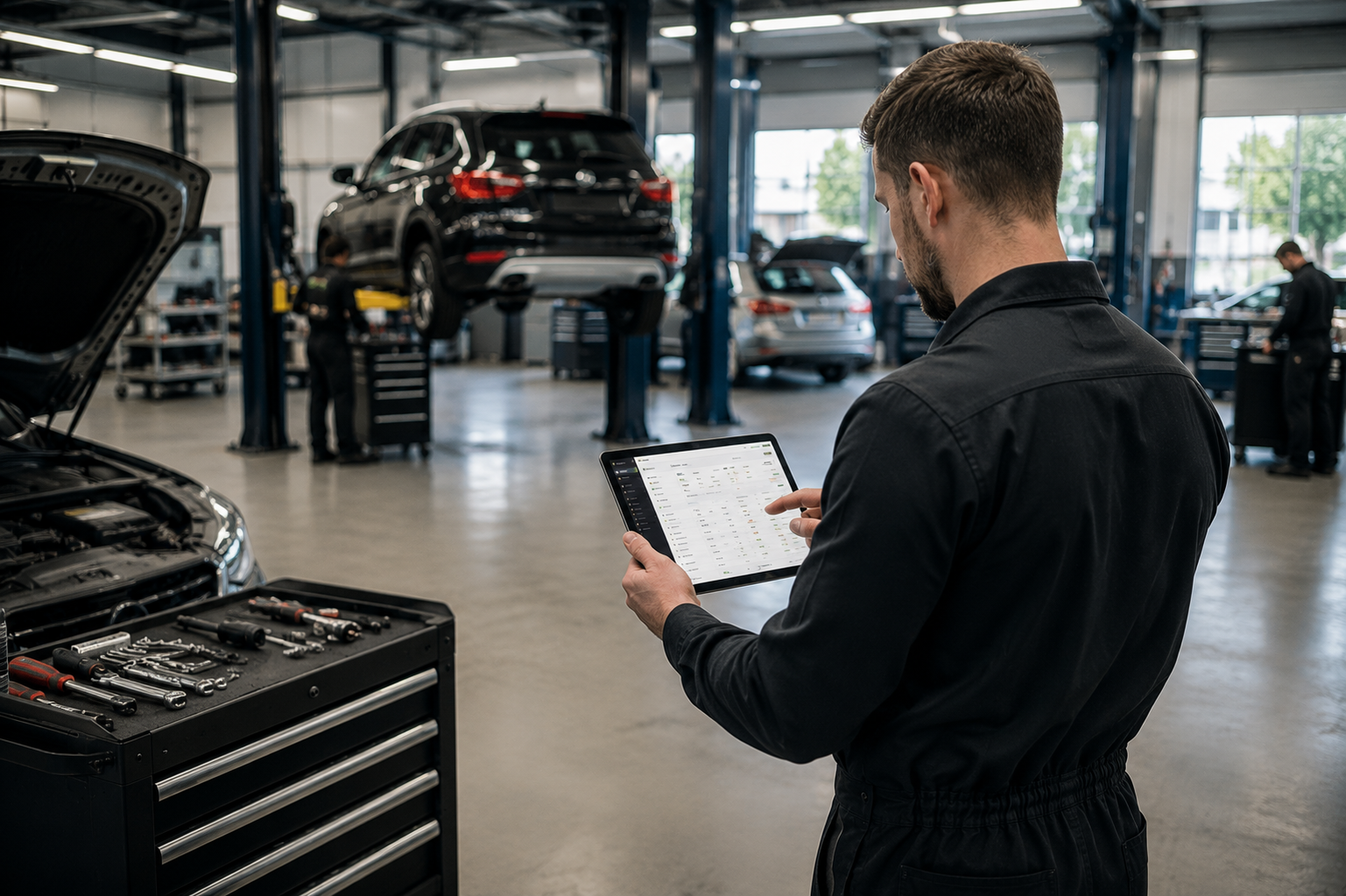
Mechanic using Wemotics on a tablet inside a modern auto workshop
Wemotics Features.

Less administration.More time in the workshop.

Less paperwork. Fewer clicks. Faster repairs. Explore the tools that help workshops save time, reduce mistakes and keep every job moving.

WORKSHOP OPERATIONS

Where shop floor chaosturns into machine-like precision.

Stop managing your garage through shouting, paper notes, and messy WhatsApp groups. Wemotics grid-locks your entire workshop operations into a single, automated flow — keeping bays moving, mechanics billing hours, and jobs tracking themselves.

01

The Command CenterWorkflow & Scheduling.

  • Live Workshop Pulse
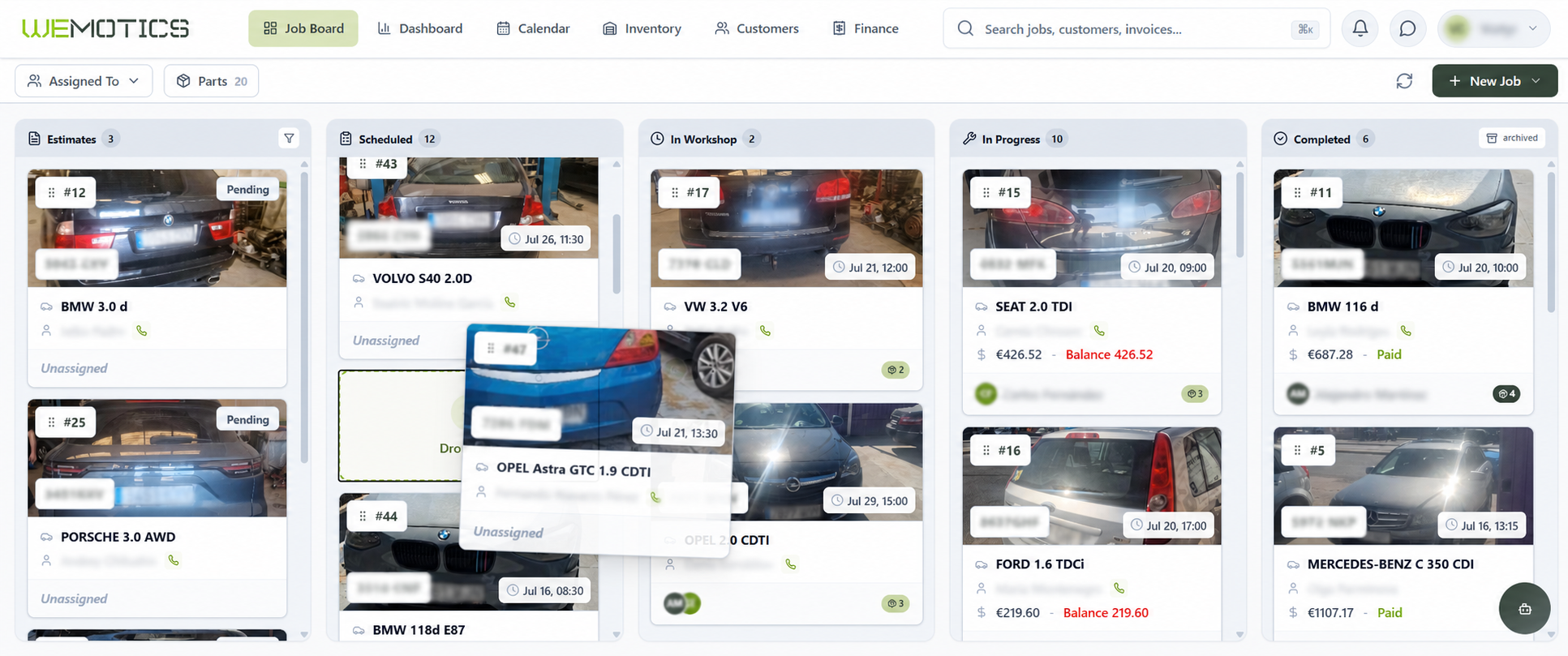
    Track every repair job through Estimates, Scheduled, In Workshop, In Progress, and Completed stages at a single glance.
  • Drag-and-Drop Updates
    Drag the job card to another stage—the status will update automatically, and the entire team will immediately see the current stage of the vehicle repair.
  • Status Indicators
    Job card indicators show at a glance whether parts still need to be ordered, are on the way or have been received, as well as whether the estimate has been approved and the customer has paid.
  • Smart Scheduling
    Seamlessly manage arrivals with day, week, and month calendar views, filtering by job status or assigned mechanic.
  • Workshop Wall Display
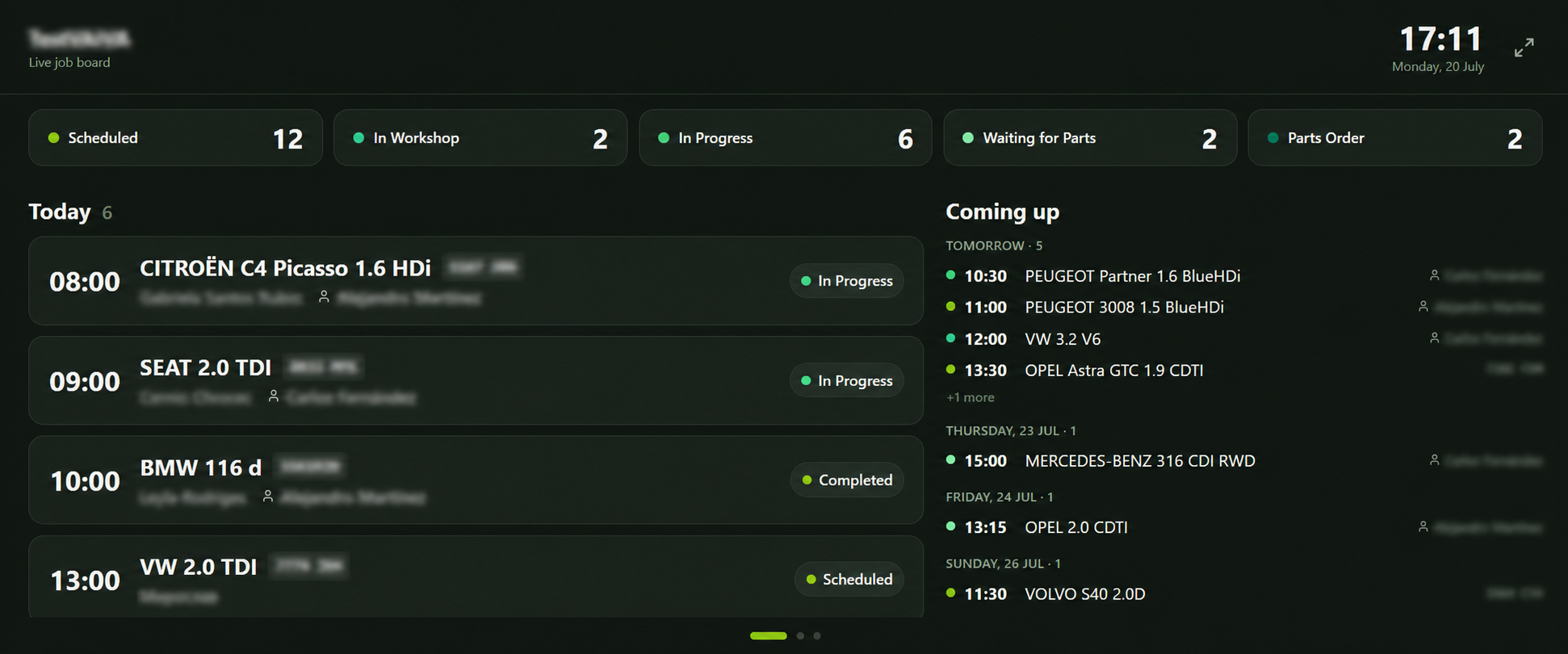
    Cast a live, auto-refreshing job board queue directly onto a shop floor TV screen.
  • Universal Search
    Instantly find anything across jobs, customers, invoices, parts, and suppliers from one search bar using license plates, VINs, names, or job numbers.
Wemotics workshop kanban board — live job pipeline
Live job board display on shop floor screen
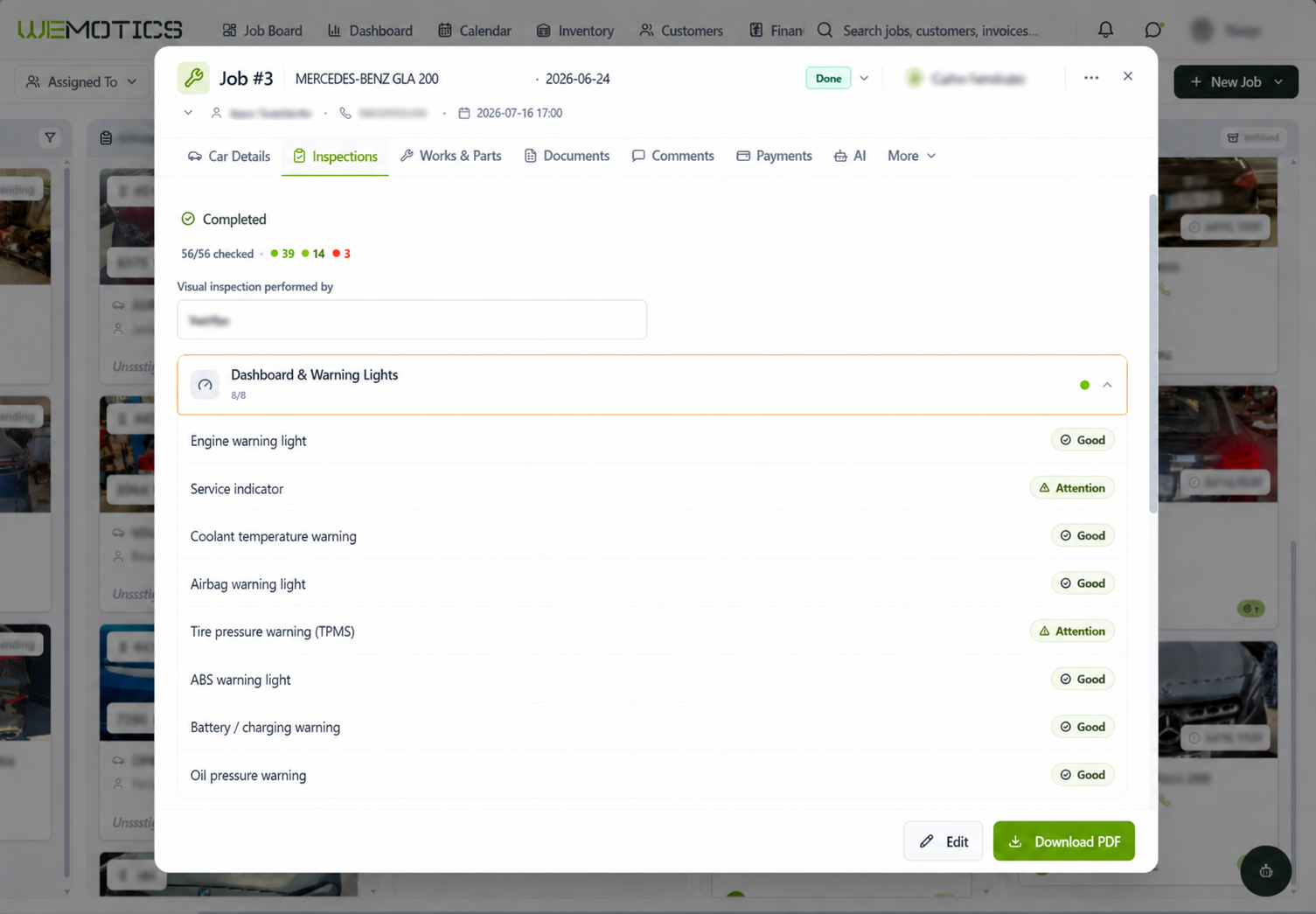
Wemotics job card — full vehicle intake and inspection record
02

Intake & DocumentationThe Repair Workspace.

  • Service History
    Returning vehicles arrive with their full repair history already available. Instantly review past jobs, works performed, and parts used with one-tap copy for rapid reordering.
  • Intake Inspection & Dispute Protection
    Log dashboard lights, functional components, fluid leaks, and pre-existing damage with photographic proof and customer signatures at vehicle drop-off.
  • Centralized Job DNA
    Every vehicle specification, customer detail, technician comment, document, payment, and activity log lives inside one rich, dedicated job card.
  • Multilingual Interface
    Run your workshop operations smoothly with a full platform interface available in English, Spanish, and Russian to support international teams.
03

Technician EnvironmentTech Workflow.

  • Mobile-First Workspace
    Built for use right at the vehicle hoist with pull-to-refresh, swipe actions, and fast camera integration for photos and plate scanning on any phone or tablet browser.
  • Internal vs. Client Comments
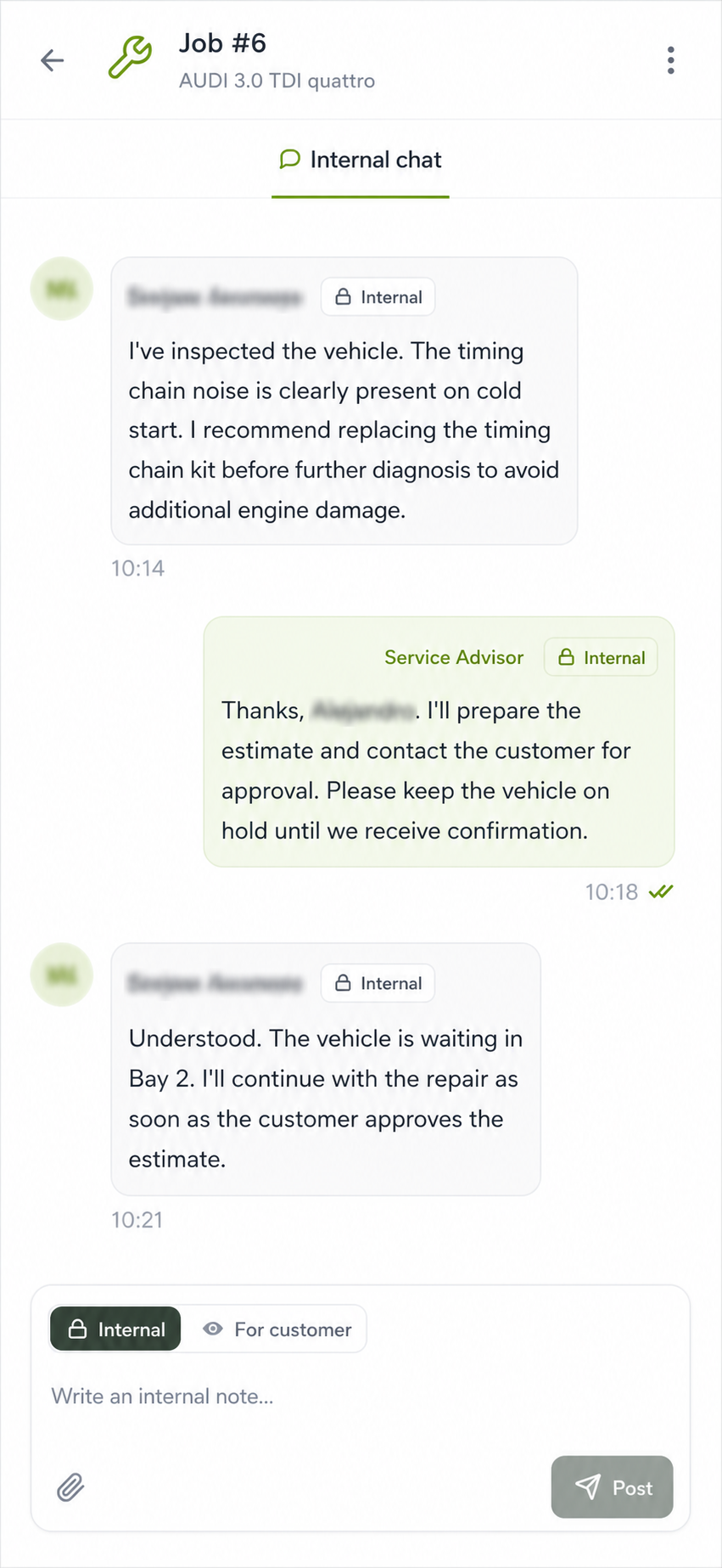
    Keep team collaboration private with internal notes, or mark specific updates and media to be forwarded directly to the customer portal.
  • Employee Portal
    Give mechanics their own dashboard to manage assigned jobs, track their work queue, log labor hours, and review their logged work entries.
  • Immutable Activity Log
    Maintain total accountability with an unalterable audit trail tracking exactly who changed what, when a status shifted, or when a payment was made.
Wemotics technician mobile portal — comments and job workspace
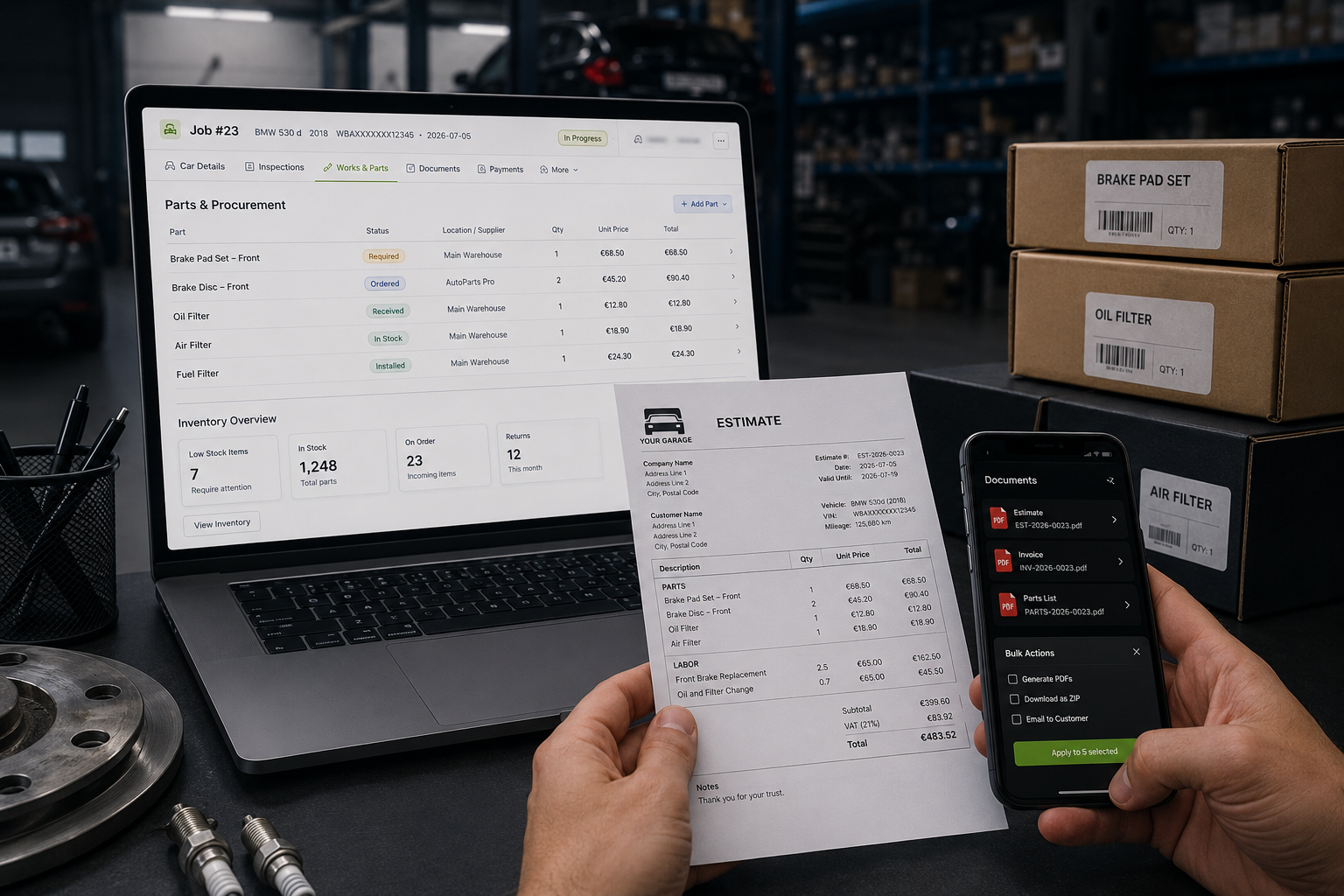
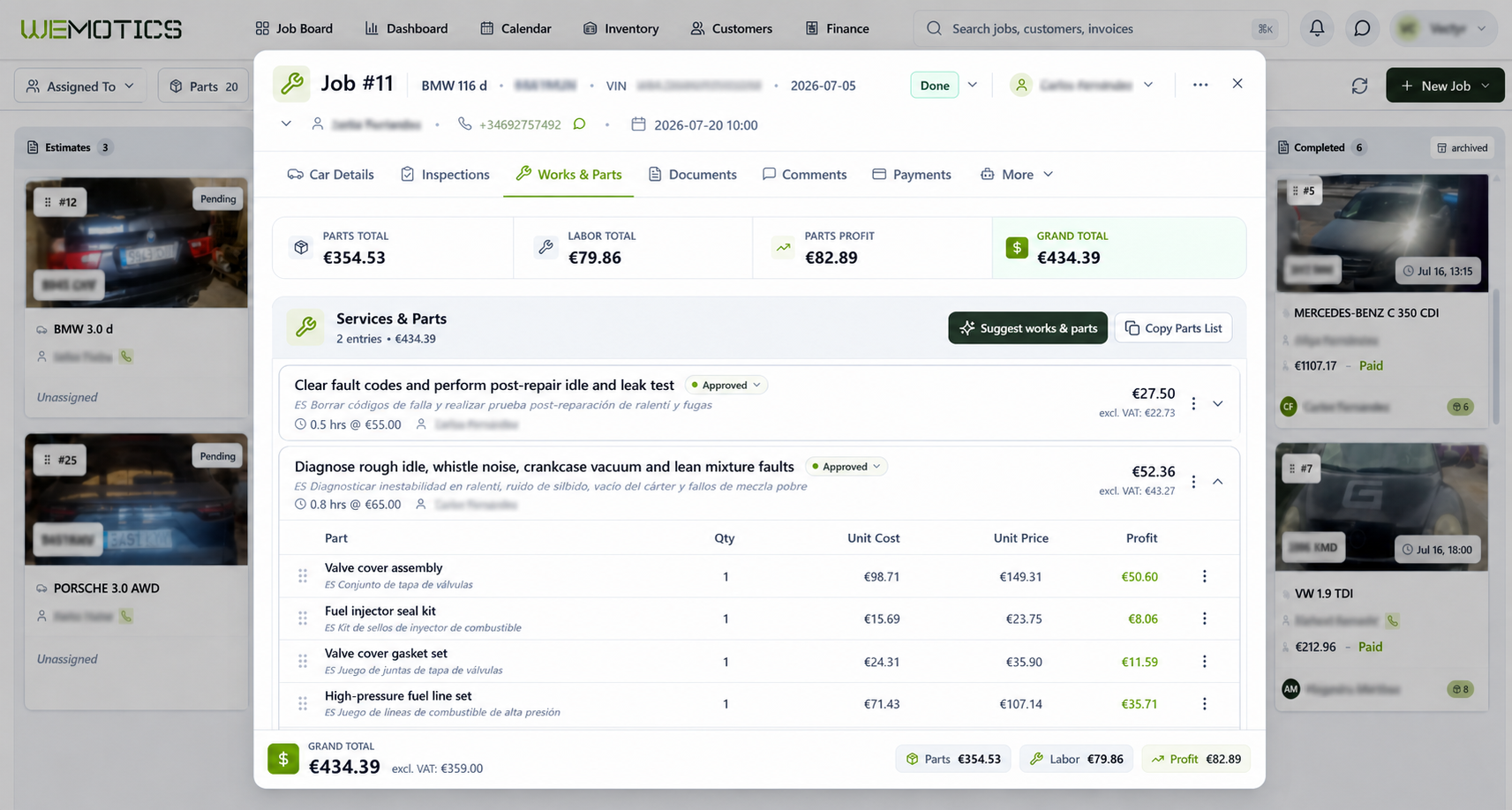
Wemotics works & parts management — procurement and PDF documents
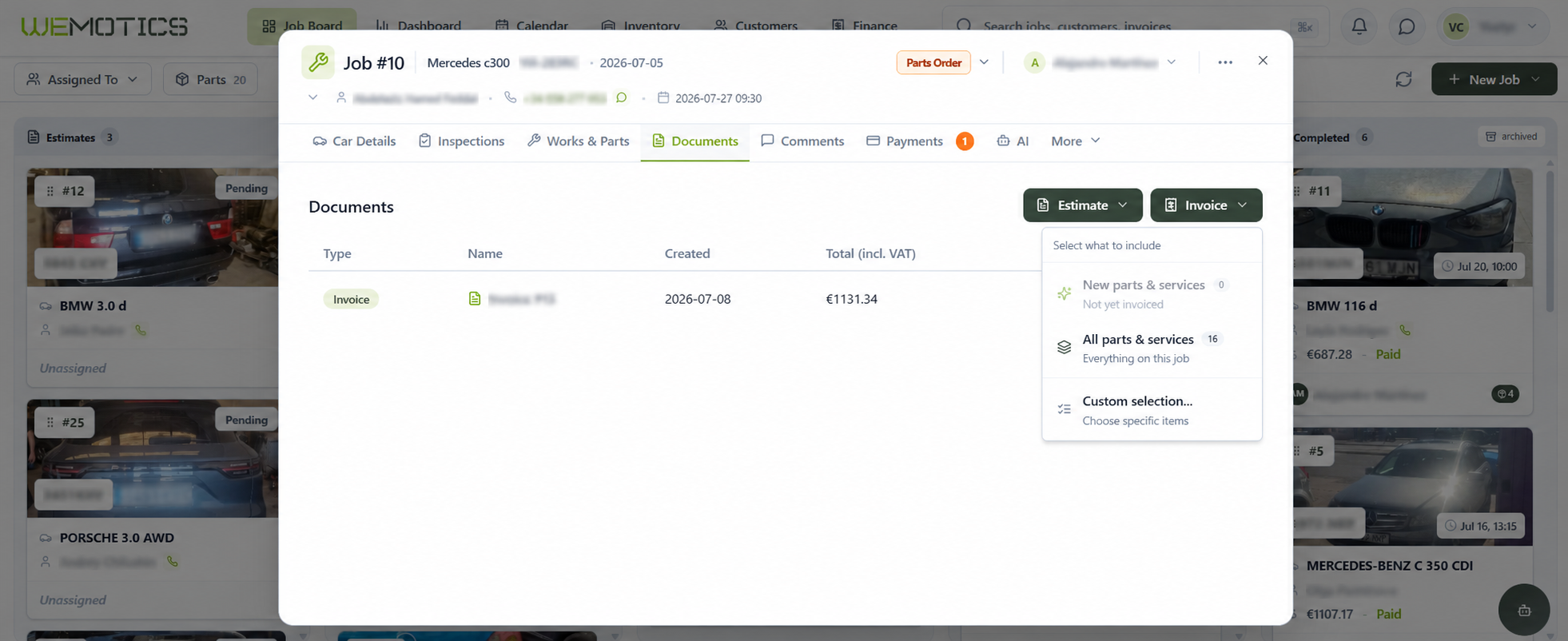
Workshop owner reviewing estimate, parts and bulk document actions
04

Logistics & Document ManagementParts & Paperwork.

  • Live Procurement Status
    Track every required part dynamically within the job context — instantly see if an item is required, ordered, received, or installed.
  • Inventory & Warehouse Sync
    Pull parts directly from your in-house inventory into active jobs, or return unused job parts back to stock.
  • ESTIMATES AND INVOICES
    Create estimates and invoices directly from the repair order, complete with your logo and company details.
  • Bulk Operations
    Save admin hours by selecting multiple estimates or invoices for batch PDF generation, bulk ZIP downloads, or batch email delivery.

AI Automation
Let AI handle the workyour team shouldn't.

Built directly into your workflow. AI helps your team diagnose problems, prepare estimates, translate conversations and eliminate repetitive work — without changing how your workshop already operates.

01AI Feature

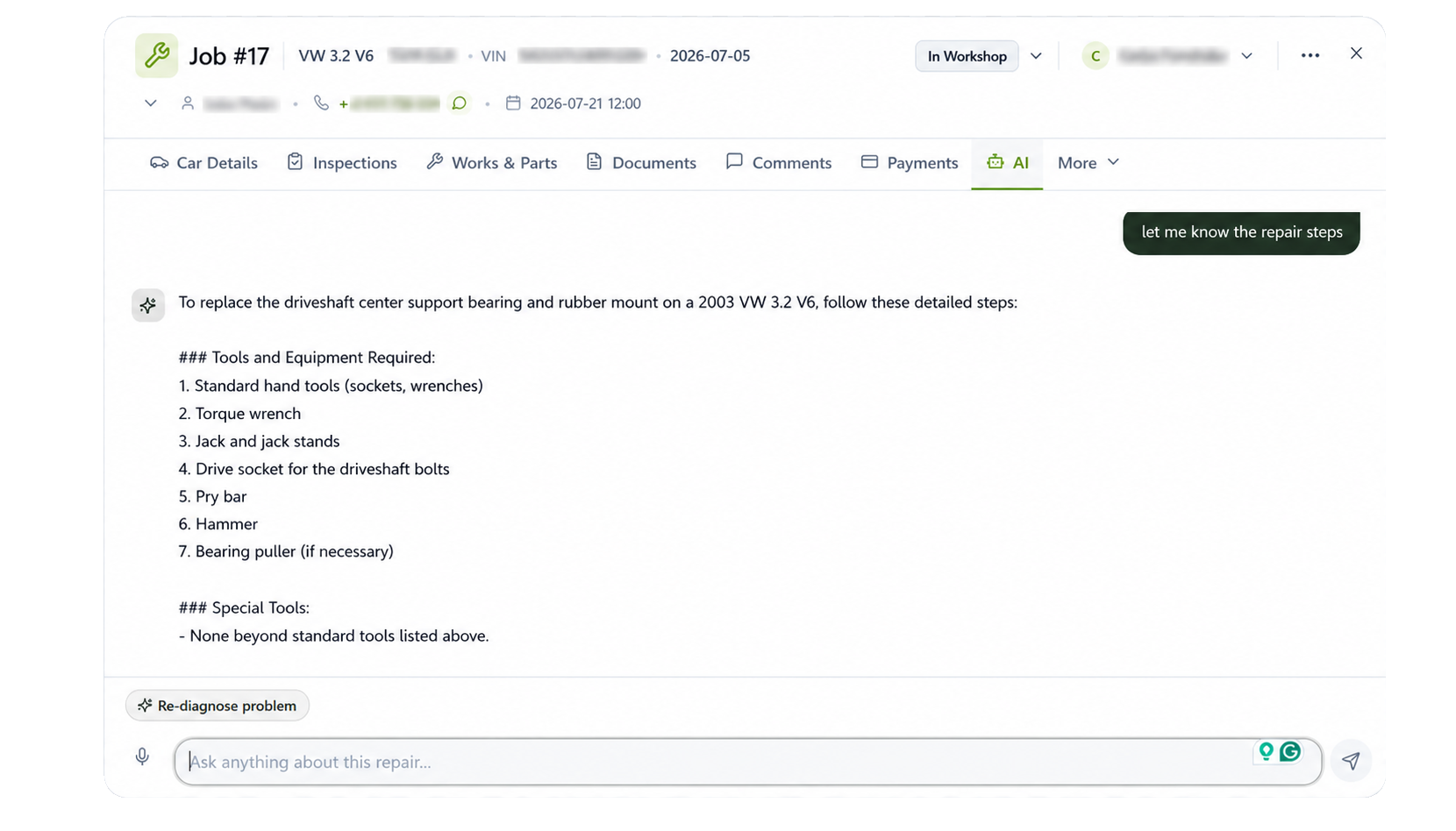
AI Repair Assistant

Describe the symptoms or enter a fault code. The AI assistant identifies likely causes and recommends diagnostic checks and repair steps in seconds.

  • Likely fault causes
  • Recommended diagnostic checks
  • Step-by-step repair guidance
  • Available in every repair job
Job card with AI Repair Assistant panel
02AI Feature

AI Estimate Assistant

Based on the vehicle details and reported problem, Wemotics prepares a draft repair scope with suggested services, estimated labour time, required parts, and quantities. Review and adjust every item before adding it to the job and completing the customer estimate.

  • Suggested repair services
  • Estimated labour time
  • Required parts and quantities
  • Review and edit before adding
AI estimate builder generating a repair quote
03AI Feature

AI Translation

Write once in your own language. AI instantly translates repair notes, comments and job descriptions for multilingual teams.

  • Real-time translation
  • No copy & paste
  • Better technician communication
  • Built into the workflow
AI translation of a repair note between languages
04AI Feature

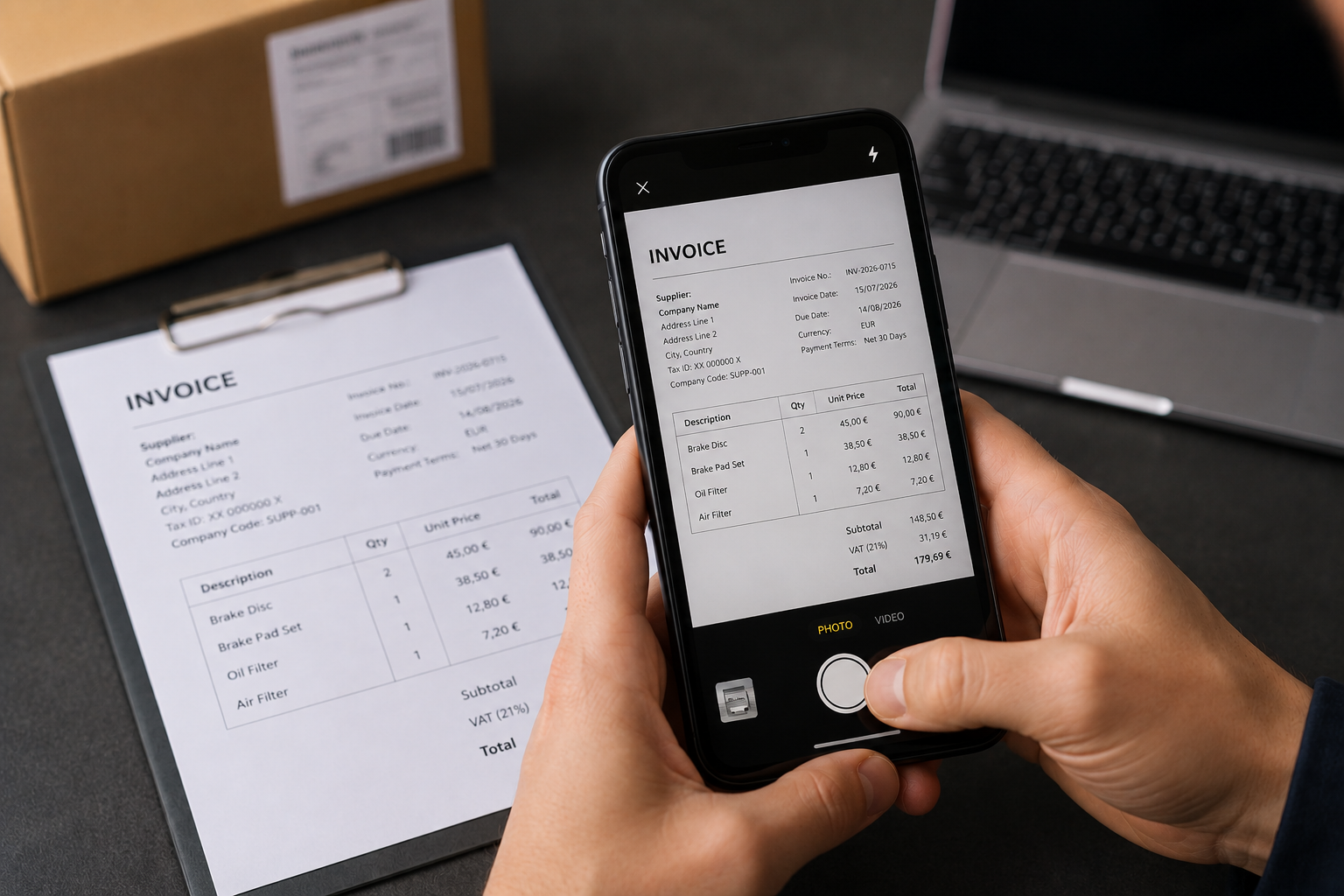
Scan Documents

Take a photo of a supplier invoice and let Wemotics extract the data automatically into the system.

  • Supplier invoice recognition
  • Automatic data extraction
  • Faster document entry
  • Less manual typing
Supplier invoice photographed and extracted into structured fields
05AI Feature

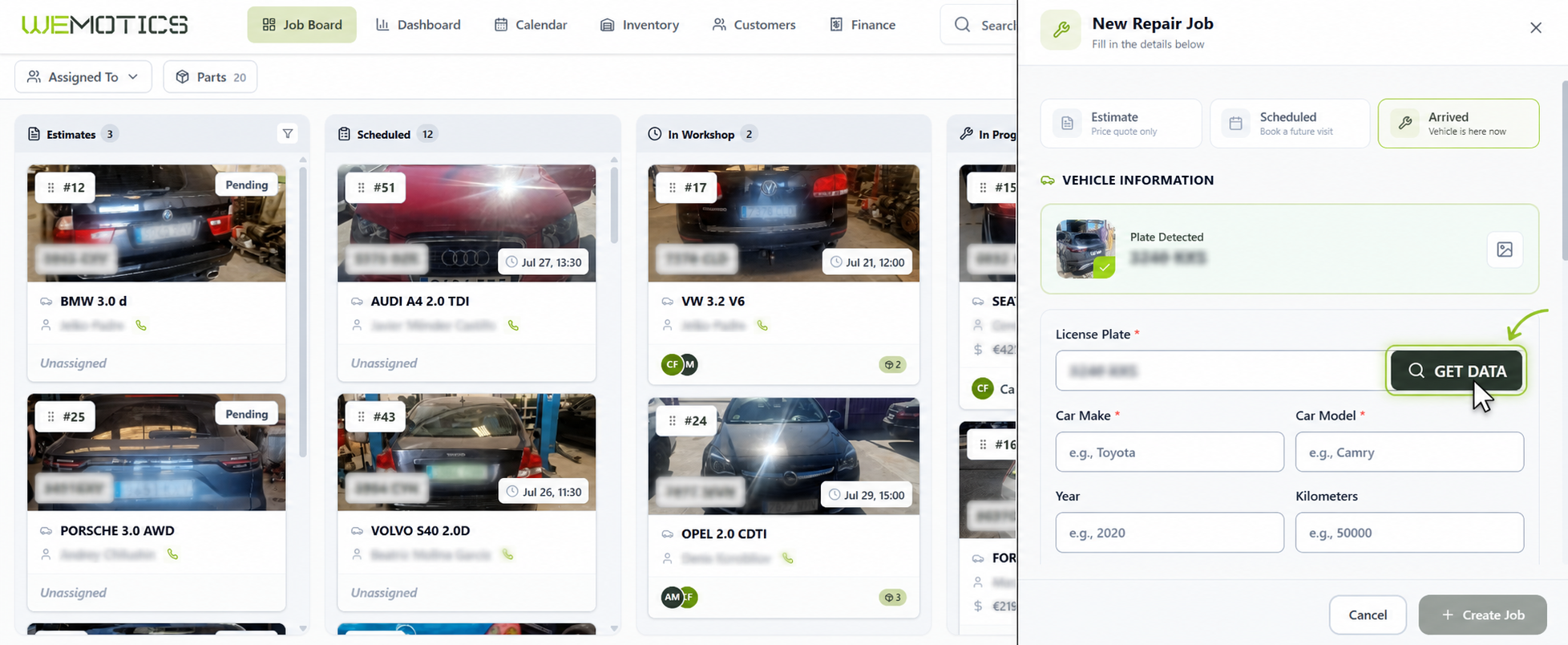
License Plate & Vehicle Data

Capture or enter a license plate to retrieve make, model, year, engine, VIN and horsepower.

  • License plate photo capture
  • AI Plate Detection
  • Make & model lookup
  • Year, engine, VIN & horsepower
License plate lookup returning full vehicle data
06AI Feature

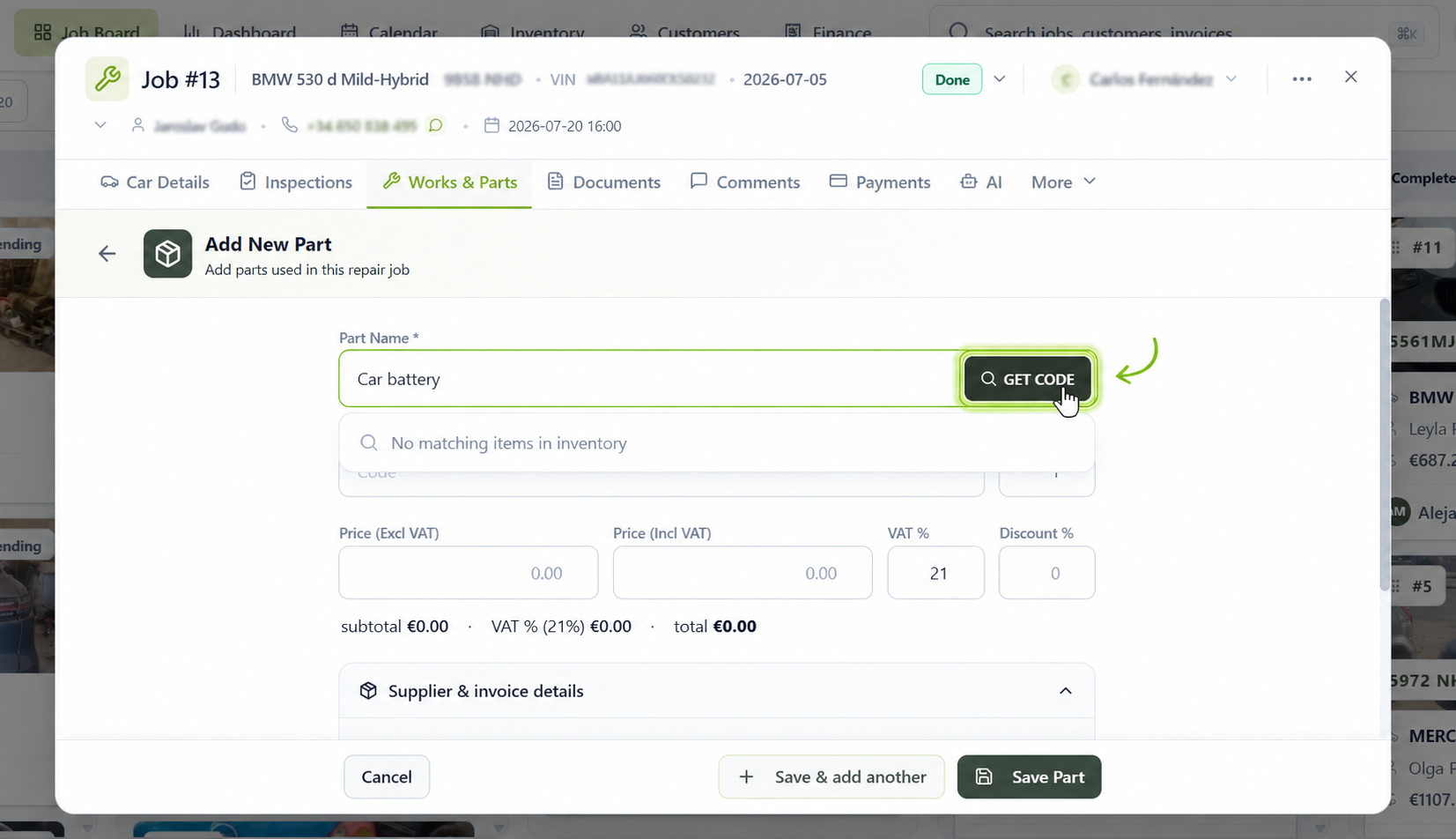
OEM Parts Lookup

Enter a part description and let AI suggest matching OEM part codes for the vehicle.

  • Part description analysis
  • OEM code suggestions
  • Better part accuracy
  • Faster supplier communication
AI matching a part description to OEM part codes
Business

Know exactly howyour workshopis performing.

Real-time numbers, cash flow and profit — see how your business is doing without spreadsheets or guesswork.

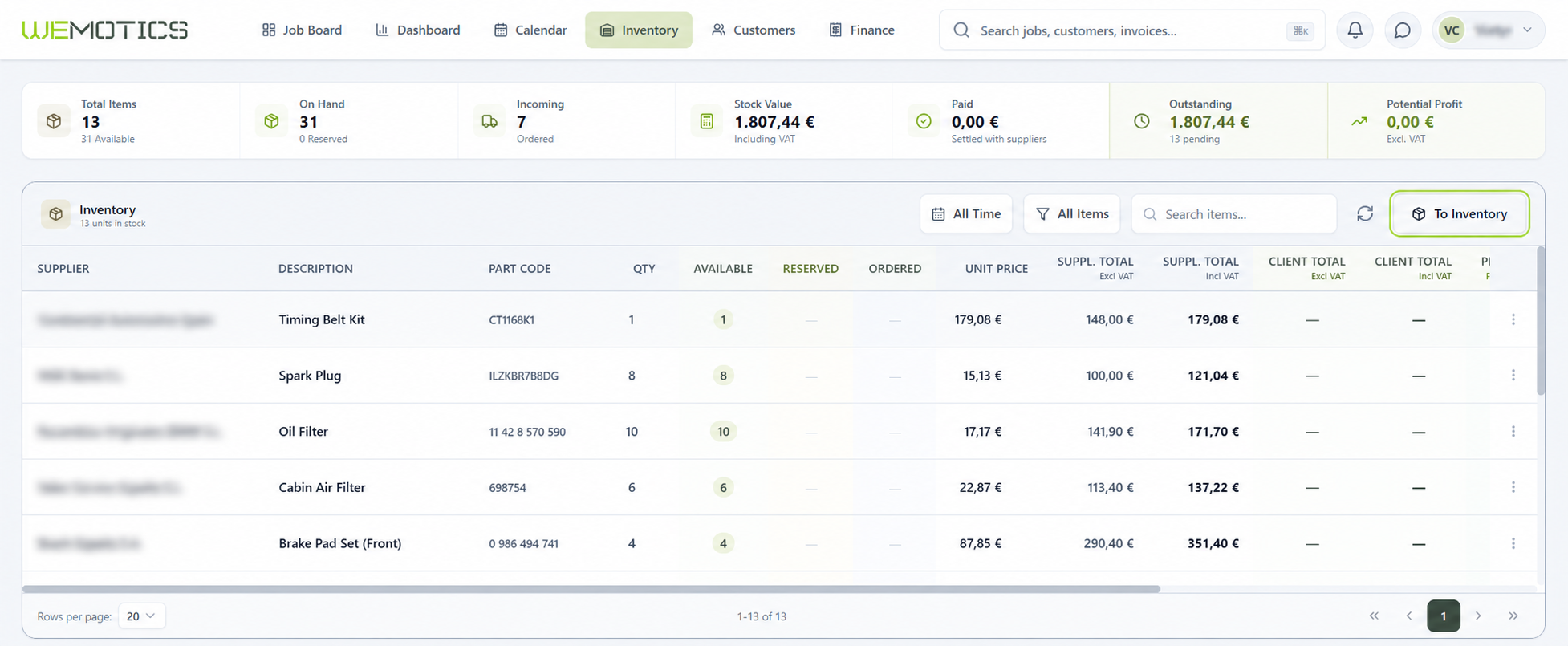
Inventory Management

Every partfrom required to installed.

Check whether the required parts are in stock, prepare a list for the supplier, and track the entire purchasing and installation process. Part information is linked to the relevant repair job and remains visible to the entire team.

Stock Levels

When adding a part to an estimate, you can immediately see whether it is already in stock. Once the part is marked as received or installed, inventory levels update automatically.
Parts List for Suppliers

Copy the names, codes, and required quantities of all parts with one click. Paste the prepared list into an email, WhatsApp message, or supplier ordering system.

Part Status Tracking

Track the status of every part: Required, Ordered, Received, or Installed. This information is displayed in the repair job and on the Job Board.

Part Profitability

View the purchase and selling prices of each part, along with the estimated profit calculated from the difference between them.

Mechanic checking parts inventory on a tablet between warehouse shelves
Finance dashboard
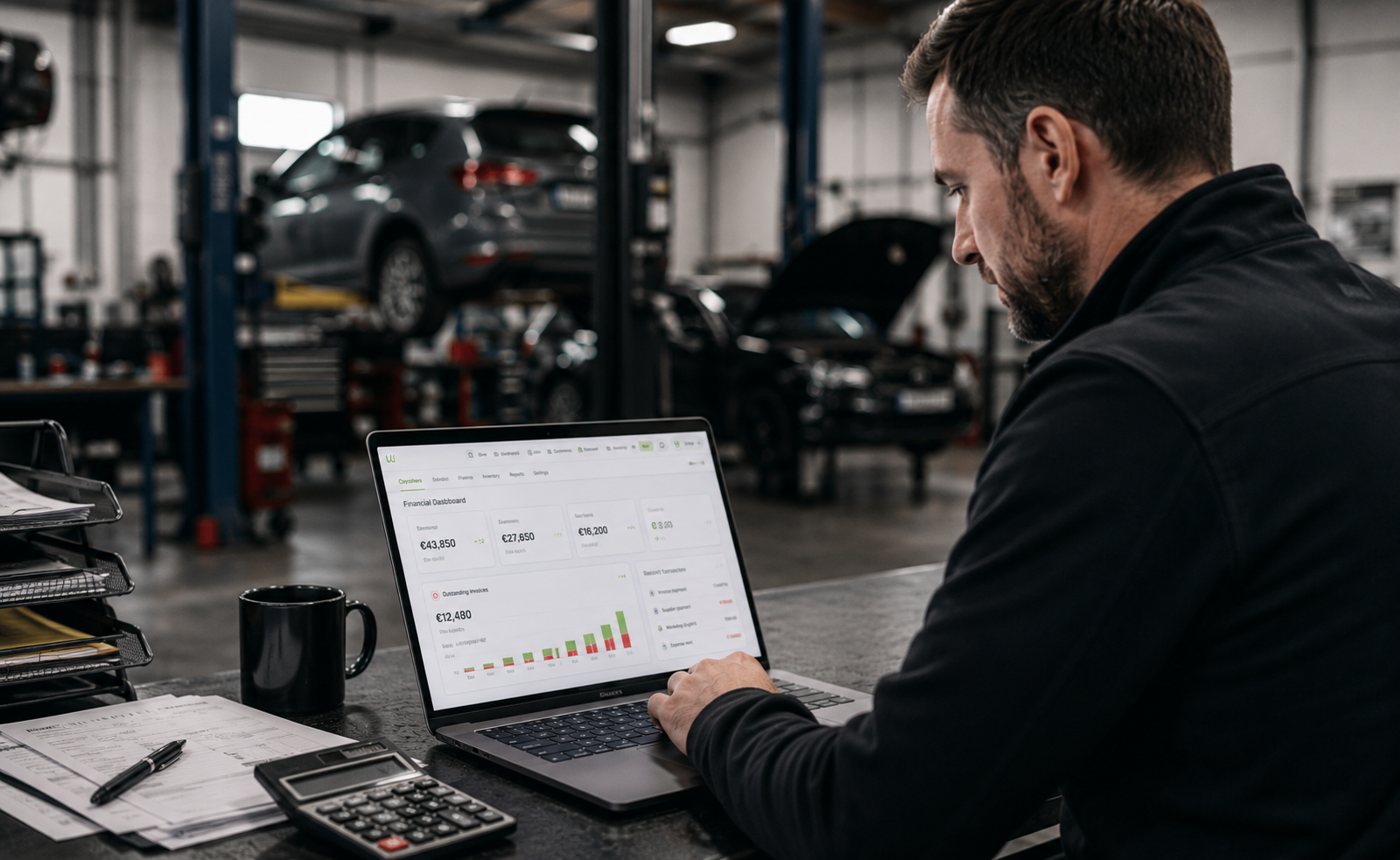
Workshop owner reviewing financial dashboard on a laptop
Finance

Know where everyeuro goes.

Every invoice, supplier payment and business expense is connected to the repair, giving you complete financial visibility without extra accounting work.

Customer Invoices

Generate professional invoices directly from completed repair jobs and share them through the Customer Portal, by email, or via WhatsApp.

Supplier Payments

Record supplier purchases, invoices and payment status without leaving your workflow.

Outstanding Balances

Instantly identify overdue customer payments and follow up before cash flow is affected.

Financial Dashboard

View revenue, expenses, receivables, profitability and workshop performance from one live dashboard.

Reports

Turn workshop datainto betterdecisions.

Instantly understand what's profitable, which technicians perform best and where your business is losing time or money.
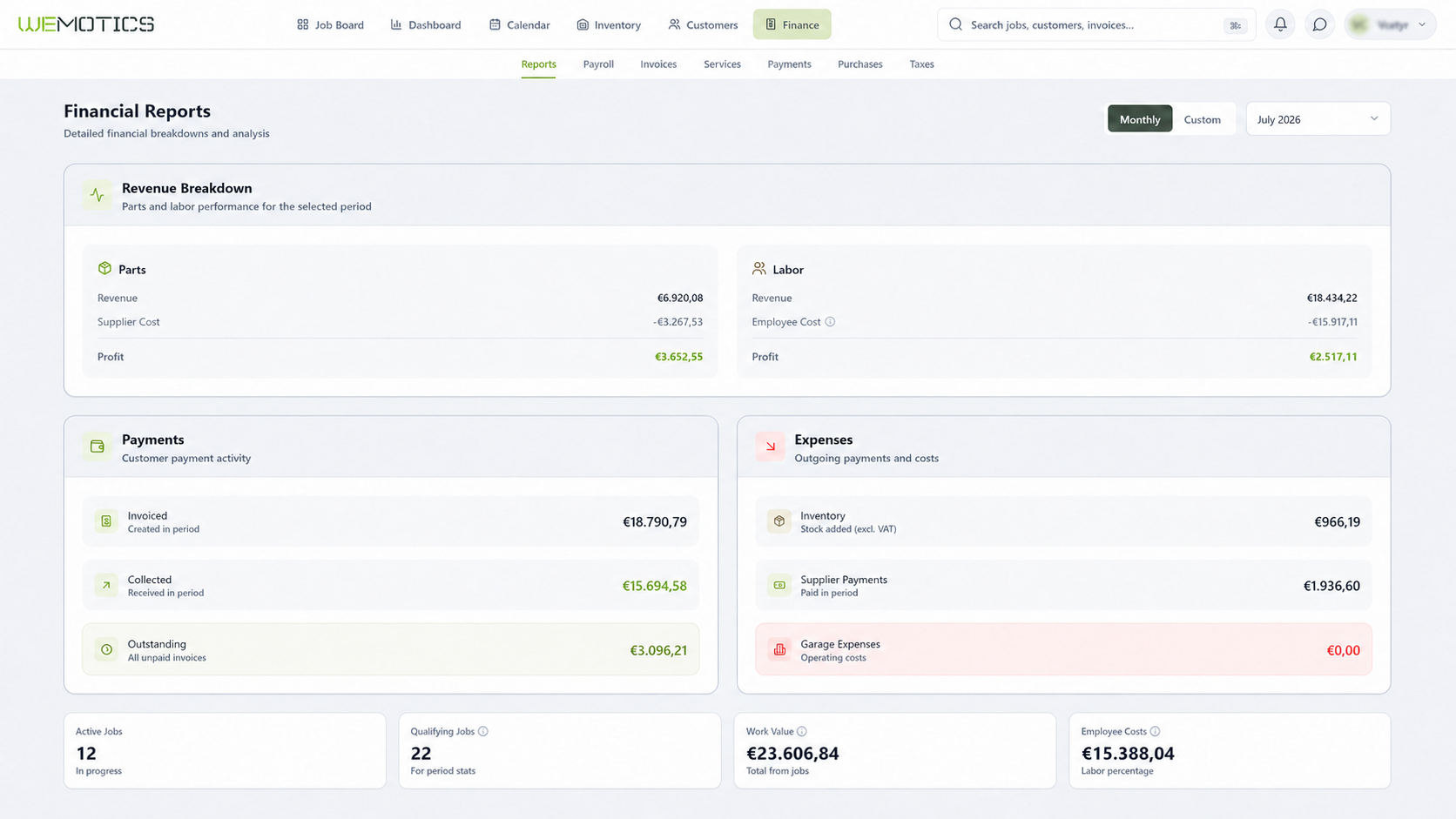
Financial reports — revenue, payments, expenses
€52,480
Revenue This Month
€5,940
Outstanding Payments
€15,860
Operating Expenses
€21,740
Employee Costs
Payroll

Reward performance,notpaperwork.

Generate payroll from worked hours, labour value and commission rules in minutes instead of hours.
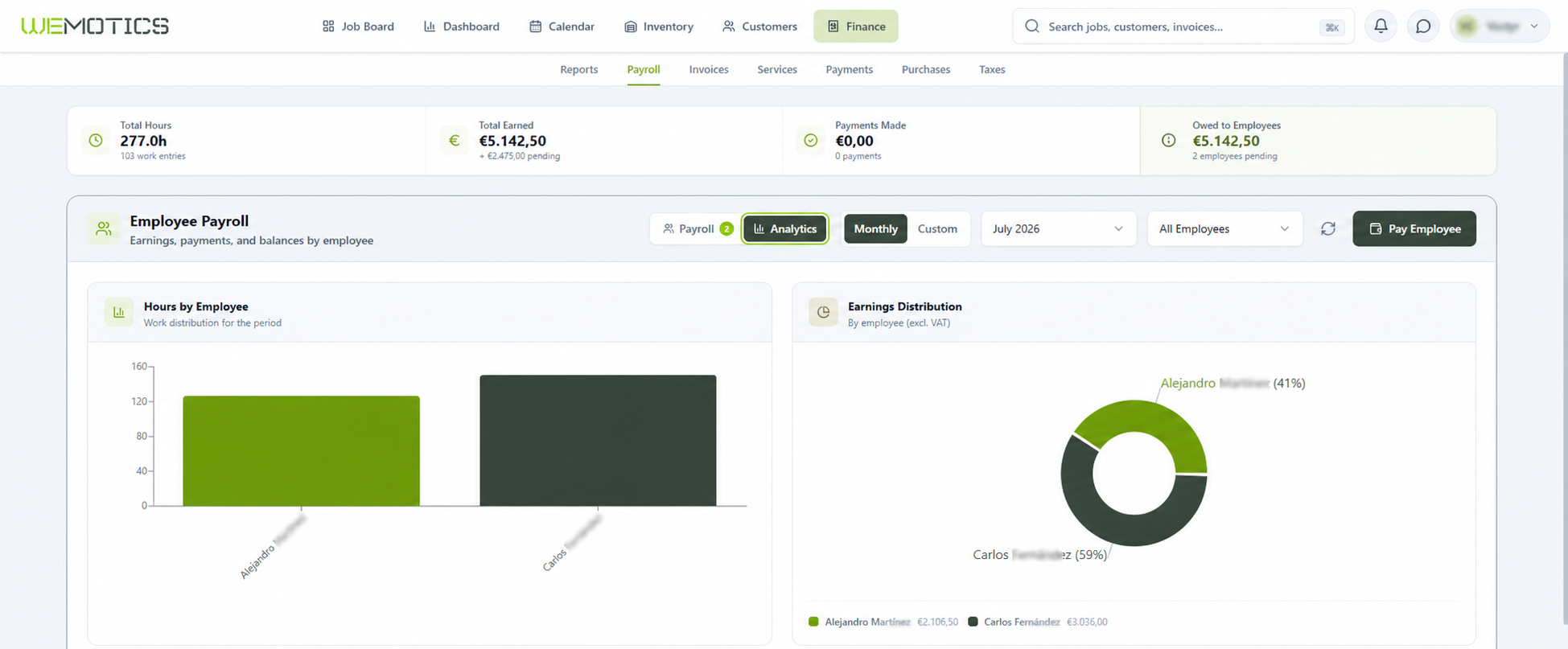
Payroll overview

Labour Hours

Real hours per job, per technician.

Commission Rules

Flexible formulas that match how you pay.

Salary Calculation

Base, bonuses and deductions in one run.

Payroll Export

Ready for your accountant in one click.

Client Engagement

Eliminate"Is my car ready yet?"phone calls.

Keep your customers informed, engaged, and ready to pay without chasing them. Wemotics bridges the gap between your workshop floor and the vehicle owner through a seamless, automated digital portal and their favorite messaging apps — driving faster approvals and zero friction.
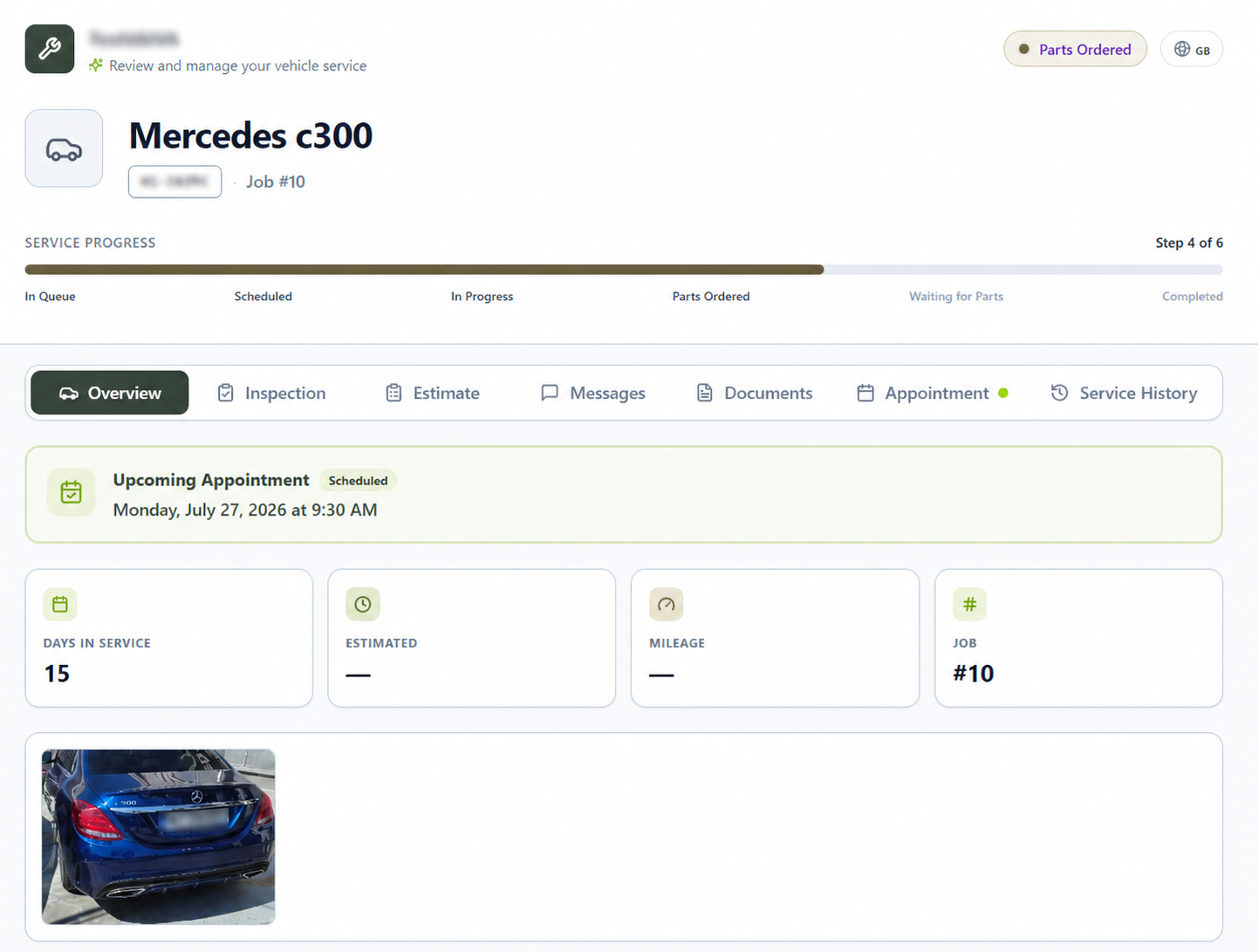
Customer Portal
Customer portal showing repair progress, estimates and invoices

Customers can view repair progress, estimates, invoices and completed work from any device.

Customer Portal

Each job auto-generates a unique, secure link you can share with the vehicle owner — track live repair progress with no app download or account creation.

Multi-Channel Messaging

Send automatic status updates, diagnostic photos, and portal links directly to your client's preferred channel — WhatsApp, Telegram, or standard SMS.

Online Estimate Approvals

Customers review itemized quotes in their portal, approve or decline individual services and parts, and authorize work instantly with a digital signature.

Multilingual Client Chat

Seamless two-way portal messaging that automatically translates problem descriptions and chat messages between your team and the customer.

Online Booking & Documents

Customers can request new appointment slots through the portal and instantly view or download past estimates, invoices, and inspection reports anytime.

BOOK A DEMO

Let's talk aboutyour workshop.

Book a personalised 20-minute walkthrough tailored to your workshop. We'll answer your questions, show the features that matter most and help you find the right setup for your team.

Select the country where your workshop operates.

We verify all requests • Response within 1-3 business days